


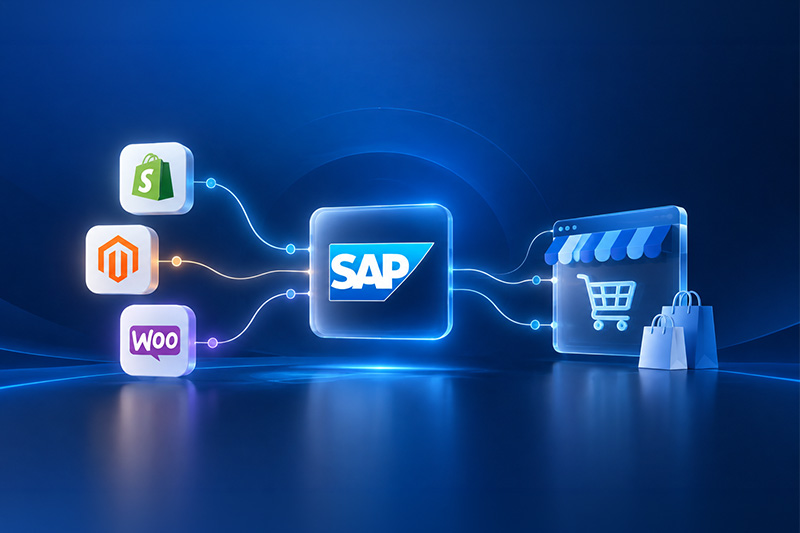
SAP Business One Agency for E-Commerce: How Should Shopify, Magento and WooCommerce Integrate With SAP B1?
Quick answer
A SAP Business One e-commerce integration connects the online store with ERP processes such as inventory, sales orders, customers, pricing, payments and fulfilment. The right architecture depends on order volume, the number of stores, B2B requirements, how fast data needs to synchronise, and how complex the underlying business processes already are.What Does SAP Business One E-Commerce Integration Actually Mean?
Before getting into APIs and sync frequency, it helps to separate what belongs in the storefront from what belongs in the ERP. Not everything needs to move, and not everything that moves needs SAP Business One as its source.What stays in the e-commerce platform?
- Storefront design and layout
- Product presentation and merchandising
- The shopping and checkout experience
- Online promotions and campaigns
- Customer-facing account functionality, such as order history views and saved addresses
What should SAP Business One manage?
- Inventory levels and availability
- Sales orders once they're placed
- Purchasing and supplier data
- Financial transactions and postings
- Business partner records, both customers and vendors
- Warehouse and stock location data
- Fulfilment-related ERP processes
- Reporting
What Data Should Sync Between an E-Commerce Store and SAP Business One?
Product data
SKU, product name, description, variants, attributes, product status and categories are the obvious candidates, and images often come along too. Not every piece of this content necessarily needs SAP Business One as its master, though. Rich descriptions, SEO copy and marketing images are frequently managed in the e-commerce platform or a separate product information management tool, with SAP Business One supplying the operational fields, SKU, status and core attributes, that actually drive fulfilment.Inventory and availability
Available quantity, stock across multiple warehouses, reserved stock, incoming purchase orders, backorder status, safety stock and any web-specific inventory rules, holding back a buffer for in-store sales, for example, all need a clear owner. Should SAP Business One or the webshop control inventory? In almost every architecture worth building, SAP Business One does. It already holds the real warehouse quantities; letting the webshop set its own inventory figures independently just creates two versions of the truth that will eventually disagree.Customer data
New customer creation, matching an order to an existing customer record, guest checkout handling, billing and shipping addresses, B2B account structures and duplicate prevention all sit in this category. SAP Business One's customer management already spans the sales and service lifecycle, so the integration's job is usually to match webshop customers against existing business partner records rather than creating a parallel customer database that has to be reconciled later.Pricing
Standard prices, customer-specific pricing, B2B price lists, special prices, discounts, promotional pricing and currency all need to be accounted for. Pricing is one of the areas where getting the source of truth wrong causes the most damage; a webshop showing a price SAP Business One won't honour is a fast way to lose a B2B customer's trust.Sales orders
A typical order flows in one direction and then reports back: Webshop → Integration Layer → SAP Business One → Warehouse/Fulfilment In practice, that means the customer places an order, the order is validated, SAP Business One receives it, the customer or business partner record is matched or created, stock is allocated, fulfilment begins, and status is returned to the webshop so the customer can see what's happening. Each of those steps is a place where something can go wrong, which is why they need to be explicit rather than assumed.Payments
Payment method, payment status, transaction references, paid or unpaid status, refunds and payment reconciliation all need to flow somewhere sensible. Most integrations record payment status against the SAP Business One sales document rather than trying to make SAP Business One a payment gateway in its own right.Shipping and fulfilment
Shipping method, tracking number, shipment status, partial shipments, multiple shipments and delivery status round out the operational picture. Partial shipments in particular are where a lot of integrations fall over, because they were only ever tested against the simple case of one order, one box, one tracking number.Returns and refunds
Reverse data flows get overlooked constantly, mostly because the initial project timeline is built almost entirely around orders going out, not coming back. A returns process needs to update inventory, trigger a credit or refund in SAP Business One, and reflect the updated status back in the webshop, and all of that needs testing just as thoroughly as the original order flow.Which System Should Be the Source of Truth?
Every field that moves between the two systems needs exactly one master. This doesn't mean data can't flow in both directions, but it does mean that when the webshop and SAP Business One disagree, one of them has to be right by definition.| Data | Typical Master System | Direction |
| Inventory | SAP Business One | SAP → Webshop |
| Sales orders | Webshop initially | Webshop → SAP |
| Customer account | Depends on architecture | Both |
| ERP customer record | SAP Business One | SAP |
| B2B pricing | SAP Business One | SAP → Webshop |
| Product content | Often e-commerce/PIM | Webshop/PIM → Store |
| Fulfilment status | SAP/WMS | SAP → Webshop |
| Tracking | SAP/Shipping system | SAP → Webshop |
| Payments | Payment provider/Webshop | Webshop → SAP |
Real-Time vs Scheduled Synchronisation: Which Should You Use?
What is real-time synchronisation?
Real-time synchronisation is typically event or API-driven: something happens, an order is placed, a stock level changes, and the update fires immediately, usually through a webhook or an API call rather than waiting for a scheduled job. It suits orders, critical inventory updates, order status changes and customer-specific B2B information, where a delay of even a few minutes creates a real business problem, whether that's overselling stock or a B2B customer seeing the wrong contract price.What is scheduled or batch synchronisation?
Scheduled synchronisation runs on a timer, every fifteen minutes, hourly, overnight, rather than reacting to events. It suits large catalogue updates, reporting data, non-critical product information and bulk price updates where an immediate change genuinely isn't necessary.Does everything need to sync in real time?
No, and treating every process as real time by default is one of the more common mistakes in these projects. Making everything real time increases API traffic, adds complexity, creates more points where something can fail, raises infrastructure requirements, and increases the support burden once the integration is live. The right approach matches the synchronisation method to how time-sensitive each piece of data actually is.| Process | Real-Time | Scheduled | Depends |
| New orders | ✓ | ||
| Inventory | ✓ | ||
| Tracking | ✓ | ||
| Product catalogue | ✓ | ||
| Prices | ✓ | ||
| Customer records | ✓ | ||
| Historical reporting | ✓ |
How Should Shopify Integrate With SAP Business One?
Shopify integrations tend to follow a fairly consistent pattern, built around Shopify's own supported building blocks, an OAuth-authenticated app, the Admin API, and webhooks, rather than custom scraping or screen automation.Typical Shopify → SAP Business One data
- Orders
- Customers
- Payments
- Shipping details
- Discounts
Typical SAP Business One → Shopify data
- Inventory
- Pricing, where applicable
- Fulfilment status
- Tracking
- ERP-controlled product information
Shopify integration challenges
Variants, running multiple Shopify stores, Shopify Markets for international selling, multi-currency, discounts, refunds, B2B requirements and inventory spread across several warehouses are where Shopify integrations typically get harder than they first appear. Shopify's own multi-location inventory feature helps here: each SAP Business One warehouse can be mapped to a Shopify location, which keeps stock and fulfilment routing accurate once more than one site is involved. Can Shopify integrate directly with SAP Business One? Yes, in the sense that Shopify exposes a documented Admin API and webhooks for orders, inventory and refunds, and SAP Business One exposes its Service Layer as a REST-based API, so a direct, custom-built connection between the two is technically possible. In practice, most SAP Business One agencies build this through a middleware layer or a purpose-built connector rather than wiring the two APIs together directly, because middleware handles retries, error logging and data transformation in a way a bare point-to-point connection usually doesn't.How Should Magento / Adobe Commerce Integrate With SAP Business One?
Why Magento integrations can become complex
Magento, now part of Adobe Commerce, supports a genuinely more complex commerce architecture than most platforms: multiple websites, multiple store views under one website, customer groups, B2B-specific pricing, large and highly structured catalogues, multiple warehouses and multi-country commerce can all run from a single Magento instance. Each of these adds another variable the integration has to account for.Magento → SAP Business One
- Orders
- Customers
- Payment information
- Discounts
- Shipping information
- Returns
SAP Business One → Magento
- Inventory
- Prices
- B2B/customer-specific pricing
- Order status
- Fulfilment
- Tracking
Handling Magento multi-store environments
Can multiple Magento stores connect to one SAP Business One database? Generally yes, and this is one of the more common architectures in practice, particularly for a business running separate stores by country or brand from a single Magento installation. There are a few reasonable ways to model it: separate SAP Business One warehouses per store, shared warehouses with store-specific stock rules, or, for larger multi-entity businesses, separate SAP Business One company databases feeding different Magento websites. None of these configurations fits every organisation; the right one depends on how the business is legally and operationally structured, not just on the technology.How Should WooCommerce Integrate With SAP Business One?
Typical WooCommerce integration architecture
WooCommerce integrations almost always run through a connector or middleware layer sitting between WordPress and SAP Business One's Service Layer, rather than a fully custom build: WooCommerce ↔ Connector/Middleware ↔ SAP Business OneImportant WooCommerce data flows
- Products
- Orders
- Customers
- Inventory
- Pricing
- Payments
- Shipping
- Refunds
Common WooCommerce integration complications
WooCommerce's plugin ecosystem is exactly what makes it flexible, and exactly what makes integrations harder to keep stable. Other plugins modifying checkout or order data, custom fields added by unrelated extensions, variable products, multiple currencies, tax plugins, custom order statuses and simply high order volumes on shared WordPress hosting are the complications that show up most often. WooCommerce's High-Performance Order Storage has also changed how order data is stored under the hood in recent versions, which is worth confirming any connector or plugin actually supports before relying on it.Shopify vs Magento vs WooCommerce for SAP Business One Integration
None of these platforms is universally “best” for a SAP Business One integration. What actually determines the complexity is the business processes running around the platform, not the platform's name.| Requirement | Shopify | Magento / Adobe Commerce | WooCommerce |
| Standard B2C commerce | Strong | Strong | Strong |
| Complex B2B workflows | Depends on setup | Strong | Depends on setup |
| Highly customised commerce | Moderate | High | High |
| Multi-store complexity | Moderate | High | Depends on setup |
| Integration complexity | Usually moderate | Often higher | Varies considerably |
| SAP B1 architecture needed | Yes | Yes | Yes |
Direct API, Connector or Middleware: Which Integration Architecture Should You Choose?
Option 1 — Direct API integration
Connecting the e-commerce platform's API directly to SAP Business One's Service Layer, with custom code handling the mapping and logic in between. This gives full control over exactly how data moves, but it also means the business owns all of the error handling, retry logic and monitoring that a dedicated platform would otherwise provide.Option 2 — Pre-built connector
A packaged connector or extension, common for WooCommerce and Magento in particular, that already knows how to map standard e-commerce objects, products, orders, customers, to SAP Business One equivalents. Faster to implement and built around standardised workflows, but with less flexibility for unusual business processes that fall outside what the connector was designed for.Option 3 — Middleware/integration platform
A dedicated integration platform sitting between multiple systems at once, useful when the ecosystem is bigger than just ERP plus webshop: ERP, webshop, warehouse management system, marketplaces and shipping providers all needing to talk to each other. Middleware becomes the natural hub once more than two systems are involved.Option 4 — Custom integration
Justified when the business processes genuinely don't fit any standard pattern: unusual document flows, non-standard pricing logic, or industry-specific requirements a generic connector was never built to handle. Worth holding onto: don't custom-build what a reliable standard integration already solves. Custom development should be the answer to a real gap, not the default starting point.What Happens When SAP Business One or the Webshop Goes Offline?
This question rarely comes up until the first outage actually happens, which is exactly why it needs an answer before go-live rather than after. Should online orders still be accepted if SAP Business One is unreachable? In a resilient architecture, yes: the storefront keeps taking orders, and those orders are queued rather than lost. Unsynchronised orders need somewhere to sit, a queue or staging table, until SAP Business One is available again, and inventory figures need defined behaviour too, whether that means falling back to the last known stock level or pausing sales on tightly constrained items. Automatic retries, duplicate prevention, error logging, administrator alerts and a clear manual reprocessing path all need to exist, along with a defined recovery process for once SAP Business One comes back online, so queued orders are processed in the right order rather than all at once in a way that overwhelms the system. Will my e-commerce store stop taking orders if SAP Business One is unavailable? It depends entirely on the architecture. A tightly coupled integration, one where the webshop calls SAP Business One synchronously before confirming an order, can fail alongside SAP Business One. A properly decoupled integration keeps the storefront running independently and queues orders for processing once the ERP connection is restored.How Do You Prevent Duplicate Orders and Customers?
Unique external order IDs, SAP Business One document references, idempotency, customer matching by email or external ID, retry logic and duplicate validation are the core tools here. A common failure mode looks like this: an order successfully reaches SAP Business One, but the response back to the integration layer times out or fails. The integration, not knowing the order actually succeeded, retries and creates a second sales order for the same purchase. Robust architecture prevents this with idempotency: each order carries a unique external reference, and before creating anything new, the integration checks whether a SAP Business One document already exists for that reference. If it does, the integration logs it and moves on instead of duplicating the transaction. Customer matching works the same way in principle: matching by email address and storing the SAP Business One business partner code back against the webshop customer record avoids creating a new customer for every order a returning shopper places.How Should Inventory Sync Work With Multiple Warehouses?
Physical stock and available stock aren't the same number, and conflating them is a common source of overselling. Available stock should account for committed inventory, stock already allocated to other unfulfilled orders, any safety-stock buffer the business wants to hold back, and, where relevant, stock reserved for click-and-collect or in-store sales. Businesses running regional fulfilment need the integration to route orders to the correct warehouse based on customer location or stock availability, not just always draw from a single default location. This ties directly back to how SAP Business One is built. It already supports real-time stock information across warehouses as part of its integrated purchasing, inventory and accounting processes, so the integration's job is to expose that existing logic to the webshop accurately and often enough to prevent overselling, rather than to recreate warehouse logic from scratch inside the e-commerce platform.How Does SAP Business One Integration Work for B2B E-Commerce?
B2B e-commerce depends on the webshop reflecting terms that are genuinely specific to each account, not a single public price list. SAP Business One already holds customer-specific pricing, price lists, credit limits and payment terms as part of its standard business partner setup, so the integration needs to surface the correct price list, discount structure and credit position for each logged-in account rather than showing every buyer the same catalogue. Bulk ordering, purchase-order reference fields at checkout and internal approval workflows for larger orders are common additions on top of that core requirement, along with assigning orders to the right sales representative automatically. Can SAP Business One customer-specific pricing appear automatically in a B2B webshop? Yes, where the integration architecture and the e-commerce platform both support that pricing model. The webshop needs to identify the logged-in account, request the correct price list or customer-specific pricing from SAP Business One, or a synchronised copy of it, and display that rather than a single public price. This depends on the platform's B2B capabilities as much as on the integration itself.What About Multiple Webshops, Countries and Currencies?
SAP Business One → German Magento store → UK Shopify store → US Shopify store → B2B portal is a realistic shape for a business that's scaled past a single storefront. Each additional store brings its own currency, tax treatment, language, warehouse assignment, customer group and, often, its own order numbering sequence. Larger, multi-entity businesses sometimes run separate SAP Business One company databases per legal entity or region, each feeding its own storefront, rather than a single database serving every market. None of this is a reason to avoid expanding; it's a reason to design the integration architecture with the next store in mind, rather than rebuilding it every time a new market gets added.What Should a SAP Business One Agency Test Before E-Commerce Go-Live?
A practical pre-launch checklist should cover, at minimum:- Product mapping
- SKU mapping
- Customer creation
- Existing customer matching
- Pricing
- Discounts
- Tax
- Inventory
- Orders
- Payments
- Shipping
- Partial shipment
- Cancellation
- Returns
- Refunds
- Multiple currencies
- Multiple warehouses
- Failed transactions
- Duplicate prevention
- API limits
- High-volume orders
- SAP downtime
- Webshop downtime
- Retry mechanisms
- Error notifications
10 Questions to Ask Your SAP Business One Agency Before Starting the Integration
- Which system will be the master for each data type?
- Which processes will run in real time?
- What happens if SAP Business One is unavailable?
- How are failed transactions retried?
- How are duplicate orders prevented?
- How will multiple warehouses be handled?
- How are returns and refunds synchronised?
- Can the architecture support additional stores later?
- How will integration errors be monitored?
- Who supports the integration after go-live?
Common SAP Business One E-Commerce Integration Mistakes
- Synchronising unnecessary data because it's technically available, not because anything actually needs it
- No defined source of truth for fields like inventory or pricing, leaving both systems believing they're right
- Assuming all processes need real-time sync when scheduled batches would be simpler and more stable
- Ignoring returns and only designing the outbound order flow
- Ignoring partial fulfilment and testing only the single-item, single-shipment case
- Poor SKU mapping between the two systems, causing silent product mismatches
- No duplicate prevention leaving the integration vulnerable to retry-created duplicate orders
- No retry mechanism so a single failed request becomes a lost order
- Hard-coding business rules that inevitably change and require a developer to update
- Testing only successful orders and never simulating failures, timeouts or downtime
- Ignoring peak order volume and only testing against everyday traffic levels
- Building unnecessary custom integrations where a reliable standard connector already existed
- No integration monitoring after go-live so failures go unnoticed until a customer complains
How to Choose a SAP Business One Agency for E-Commerce Integration
This works better as an evaluation framework than a sales pitch. Evidence worth asking for includes:- SAP Business One expertise, not just general ERP familiarity
- E-commerce platform expertise on the specific platform in question, Shopify, Magento or WooCommerce, not e-commerce in general
- API/integration capability demonstrated with real technical detail, not just marketing language
- Previous integration experience, ideally with a similar business model or platform combination
- Multi-store experience, if that's relevant to the business's plans
- B2B commerce experience, if B2B pricing or workflows are involved
- Data migration knowledge, for existing product, customer and order history
- Testing methodology that covers failure cases, not just the happy path
- Documentation of the finished architecture, not just working code nobody else can maintain
- Monitoring arrangements for after go-live, not just during the build
- Post-go-live SLA defining who fixes what, and how quickly
- Ability to support future channels as the business adds stores, marketplaces or regions
Your E-Commerce Integration Should Follow the Business Process
None of this is really about connecting two APIs. A SAP Business One e-commerce integration is an architecture decision: it establishes who owns each piece of data, how often it needs to move, what happens when something fails, how the setup scales to new stores and markets, and who is operationally responsible for keeping it running after go-live. Get those decisions right before development starts, and the platform choice, Shopify, Magento or WooCommerce, becomes a much smaller risk than it initially looks. If you're planning an e-commerce integration and want to work through these decisions properly before committing to an architecture, a SAP Business One agency that has done this before can usually save more time at the planning stage than it costs. It's worth starting with a scoping conversation rather than a fixed proposal.Frequently Asked Questions
Yes. SAP Business One exposes a REST-based Service Layer API, and Shopify offers a documented Admin API and webhooks, which together support order, inventory, customer and fulfilment synchronisation. Most implementations use a middleware layer or purpose-built connector between the two rather than a bare direct connection.
Yes. Magento (Adobe Commerce) integrations typically sync orders, customers, inventory, pricing and fulfilment status with SAP Business One, using either a pre-built connector or a custom-built integration. Magento’s support for multiple websites and store views makes this a common pairing for more complex, multi-store B2B and B2C businesses.
Yes. WooCommerce integrations generally run through a connector or middleware layer that talks to SAP Business One’s Service Layer, syncing products, orders, customers and inventory. Because WooCommerce relies heavily on plugins, it’s worth confirming any connector is compatible with the specific plugins and order-storage setup in use.
Yes, when the integration is built for it. Real-time inventory sync usually relies on webhooks or event-driven updates rather than scheduled batch jobs, and it’s one of the processes most worth making real time, since delayed stock updates are a direct cause of overselling.
Yes. Multiple storefronts, whether separate Shopify stores, Magento websites, or a mix of platforms, can connect to a single SAP Business One system, or to separate company databases for larger multi-entity businesses. The right structure depends on how the business is legally and operationally organised.
In almost all cases, SAP Business One should be the inventory master, since it holds the actual warehouse quantities across purchasing, sales and fulfilment. Letting the webshop maintain an independent stock figure tends to create two versions of the truth that eventually conflict.
Yes, where both the integration architecture and the e-commerce platform support customer-specific pricing. The webshop needs to identify the logged-in account and request that account’s price list or discount structure from SAP Business One rather than displaying a single public price to every visitor.
This depends on the architecture. A well-designed, decoupled integration keeps the storefront accepting orders and queues them for SAP Business One once it’s available again. A tightly coupled integration that calls SAP Business One synchronously during checkout can fail alongside it, which is why this needs to be addressed at the design stage.
Returns typically trigger an inventory update, a credit or refund document in SAP Business One, and an updated status back in the webshop. This reverse flow is frequently under-tested compared with the outbound order process, so it deserves its own dedicated testing pass before go-live.
Not strictly, since a direct API-to-API connection is technically possible. In practice, middleware or a pre-built connector is common because it handles retries, error logging, data transformation and monitoring, tasks a bare direct connection would otherwise leave the business to build and maintain itself.
It varies significantly with scope: a standard connector handling core objects for a single store can be considerably faster to implement than a custom, multi-store, multi-currency B2B integration. Order volume, platform complexity and how many data types need to sync all affect the realistic timeline.
Cost depends on architecture choice, direct API build, pre-built connector, or middleware, plus the number of data types synced, stores involved, and ongoing support requirements. A SAP Business One agency should be able to scope this against the business’s actual requirements rather than quoting a generic figure.







 Applicable for Package
 Optional