


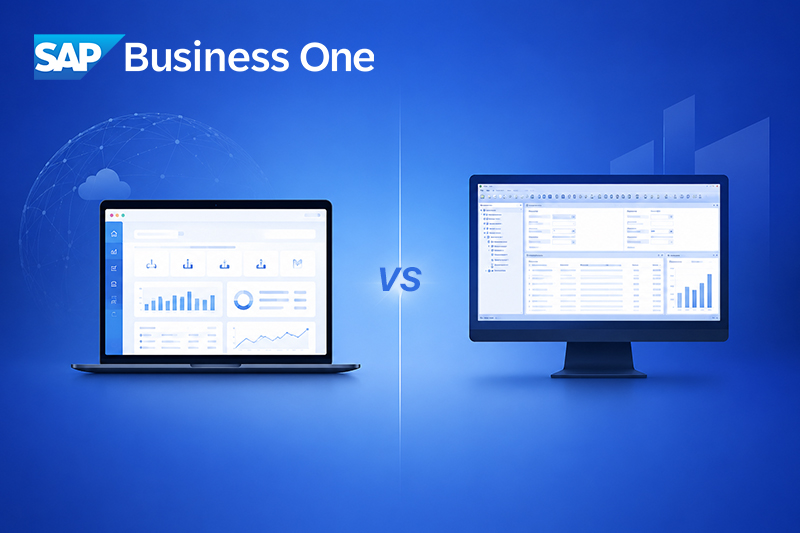
SAP Business One Webclient vs Desktop Client: The Honest Comparison for 2026
There is a conversation happening inside a lot of businesses right now. Someone in IT or operations has heard about the SAP Business One Webclient, shown it to a few people, and now the question is on the table: do we switch, do we stay, or do we run both?
The existing guides on this topic tend to give you a polished comparison table and a vague conclusion about "choosing what fits your business." That is not particularly useful when you are trying to make an actual decision. So here is the version that tells you what the comparison guides leave out — the technical constraints, the real-world trade-offs, and what the decision looks like for different types of business.
What the SAP Business One Desktop Client Actually Is
The Desktop Client is the original Windows application that has been the standard interface for SAP Business One since the product launched. It is installed locally on each workstation — or accessed remotely via Citrix or Remote Desktop Services — and connects directly to the SAP Business One database, whether that is SAP HANA or Microsoft SQL Server. Its strengths are real and significant. Every module in SAP Business One is available through the Desktop Client — financial accounting, purchasing, sales, inventory, production planning, MRP, service management, warehouse management, and HR. Every third-party add-on built on the SAP B1 SDK runs through the Desktop Client. Crystal Reports, which remains the dominant reporting and document template tool in SAP Business One, is a Desktop Client feature. The DI API, used for custom integrations and automation, also operates through this environment. For businesses with complex, multi-department workflows — particularly manufacturers, distributors, and companies with bespoke ERP customisations — none of that functionality is optional. It is how they operate.The limitations that matter in 2026
The Desktop Client requires a Windows operating system. There is no native macOS or Linux version. Users on Macs must either run Windows virtualisation or access the client through a remote desktop environment. In offices where device choice has diversified, this creates friction. Remote access is workable through VPN or remote desktop, but it is not elegant. Performance over poor connections is noticeably degraded, and the setup requires ongoing IT maintenance. For companies with distributed teams or staff who travel regularly, this is a genuine operational constraint rather than a minor inconvenience. The user interface also shows its age. It was designed for keyboard-driven, power-user navigation — which is efficient for trained staff but carries a steep learning curve for new users and can feel alienating to team members who have grown up on modern software.What the SAP Business One Webclient Actually Is — and What It Is Not
The Webclient was introduced in SAP Business One version 10.0 and has been expanding with each subsequent release. It is browser-based, built on SAP’s Fiori design framework, and requires no installation on the end-user device. Chrome, Edge, Firefox, and Safari all support it. A user with the right credentials can open a browser on any computer or tablet and be working in SAP Business One within seconds. The interface is a genuine improvement in usability. Tile-based navigation, clean dashboards, personalised home screens, and real-time data visibility make it considerably more approachable for users who are not ERP specialists. For sales teams, account managers, and executives who need to review data, create documents, and track performance without deep system expertise, the Webclient is a better day-to-day experience than the Desktop Client.But here is what most comparisons do not tell you — and it matters enormously.
The Webclient only works with SAP HANA
If your SAP Business One installation runs on Microsoft SQL Server — which a significant number of SME installations still do — the Webclient is not available to you at all. This is not a configuration option or an upgrade path within the same infrastructure; it is an architectural requirement. Before any conversation about Webclient adoption can happen, the database question has to be answered. Skipping this step is where many businesses waste time evaluating something they cannot yet access.The module coverage is still incomplete
As of 2026, the Webclient covers the core commercial and financial functions well: sales orders, purchase orders, invoices, business partner management, inventory queries, and financial reporting. However, the full Production module, Material Requirements Planning (MRP), the Service module beyond basic cases, and Human Resources are either partially available or absent from the Webclient environment. For a manufacturing business, this means the Webclient cannot replace the Desktop Client for the people who actually run production.Add-ons do not work in the Webclient
The SAP Business One partner ecosystem has produced hundreds of industry-specific and functional add-ons built on the Desktop Client SDK. None of them are compatible with the Webclient. If your business relies on a localisation add-on, a specialist warehouse management tool, or any third-party extension, those users remain on the Desktop Client regardless of what else you decide.Crystal Reports is Desktop-only
Document templates for invoices, delivery notes, purchase orders, and custom reports built in Crystal Reports run through the Desktop Client. The Webclient uses a different document layout engine. This means migrating your existing document templates requires deliberate rework — it does not happen automatically during any kind of transition.The Webclient requires a live connection
The Desktop Client can function in degraded connectivity conditions. The Webclient cannot. For staff in locations with unreliable internet — warehouses, remote sites, field locations — this is a practical concern that needs addressing before deployment. It is also worth distinguishing the Webclient from the SAP Business One mobile app. They are separate products with different purposes. The mobile app is designed for quick, field-based interactions — checking stock, approving a document, logging a site visit. The Webclient is a full working environment designed for sustained daily use on a desktop or tablet browser. Conflating the two leads to poor deployment decisions.Side-by-Side: What Each Client Actually Delivers
| Factor | Webclient | Desktop Client |
| Database requirement | SAP HANA only | HANA or MS SQL Server |
| Installation needed | None (browser-based) | Windows workstation required |
| OS compatibility | Any OS with modern browser | Windows only (native) |
| Full module coverage | Partial (growing) | Complete |
| Production / MRP | Limited / unavailable | Full access |
| Third-party add-ons | Not supported | Full SDK compatibility |
| Crystal Reports | Not available | Built-in |
| Offline capability | No | Limited yes |
| User interface | Modern Fiori-based | Traditional Windows UI |
| Remote / mobile use | Excellent | Requires VPN or RDS setup |
| Analytics dashboards | Built-in, personalised | Add-on dependent |
| Introduced in version | SAP B1 10.0 (2020) | All versions |
The HANA Question: Why It Changes Everything
The database your SAP Business One installation runs on determines your options more than anything else. If you are on SQL Server and want Webclient access, the path runs through a HANA migration — a significant project that involves data migration, infrastructure changes, licensing adjustments, and system testing. That is not a reason to avoid it, but it is a commitment that needs to be scoped properly before you make any decisions about client access. If you are already on HANA, the Webclient is available to you today and can be activated and configured relatively quickly, depending on your user requirements and any customisation of roles and permissions. For businesses evaluating SAP Business One as a new implementation in 2026, choosing HANA from the outset is the strongly advisable path given the direction of the product roadmap and the functionality it unlocks.Who Should Use Which Client: A Specific Answer
This is a more specific answer than most comparisons give.The Webclient is well-suited for
- Sales executives and account managers creating and managing commercial documents
- Procurement staff handling standard purchasing workflows
- Management and finance teams reviewing dashboards, KPIs, and reports
- Any user whose work sits primarily within the sales, purchasing, and financial document flow
- Businesses with distributed or hybrid teams who need browser access without VPN dependency
- New users requiring a shorter onboarding curve into SAP Business One
The Desktop Client remains essential for
- Production planners and anyone operating the MRP module
- Service engineers and service coordinators using the full Service module
- Finance teams running advanced reconciliations, multi-entity consolidations, or banking integrations
- Anyone managing document templates or reports built in Crystal Reports
- Users of any third-party add-on or ISV solution built on the SAP B1 SDK
- Developers and consultants working with the DI API or SDK
Licensing, Infrastructure, and Cost: The Honest Picture
Licensing for SAP Business One does not typically differ dramatically between the two clients — users licensed for the system can generally access both environments. However, the infrastructure requirements diverge. The Webclient is server-side, meaning performance and concurrency depend directly on your server specification. Running a large number of simultaneous Webclient sessions on an underpowered server causes performance degradation that is noticeable and disruptive. This is a conversation to have with your SAP partner during scoping, not after go-live. For businesses on SQL Server considering a HANA migration to unlock Webclient access, the cost of that migration needs to be weighed against the operational benefit — typically reduced IT infrastructure overhead, lower remote desktop licensing costs, improved user experience, and access to the growing Webclient feature set. In many cases the business case is strong. But it should be a deliberate, costed calculation rather than an assumption.What a Realistic Migration Path Looks Like
Businesses do not move from Desktop Client to Webclient in a single project. The realistic progression tends to follow a recognisable pattern:- Confirm the database environment. Verify HANA is in place, or plan the migration with realistic timelines and budget.
- Identify Webclient-ready users. Sales and purchasing teams are the usual starting point. Assess who genuinely does not need modules that are Webclient-limited.
- Configure roles and permissions. The Webclient uses tile-based navigation that needs to be configured per user role — this is not a default setup that works out of the box.
- Run parallel access during transition. Keep both clients active while users build confidence with the new interface. The underlying data is shared — both clients talk to the same database.
- Evaluate as SAP expands coverage. Each SAP Business One release brings expanded Webclient functionality. Reassess which users can shift across as each release lands.








 Applicable for Package
 Optional