It usually starts with one office, or one warehouse. The business grows, a second location opens, then a third — another branch, another warehouse, a remote sales team working from wherever the next customer happens to be. Somewhere in that growth, finance ends up working from one system, the warehouse team from another, spreadsheets start travelling back and forth between locations by email, and management finds itself asking a simple question nobody can answer quickly: what does the business actually look like right now, across all of it?
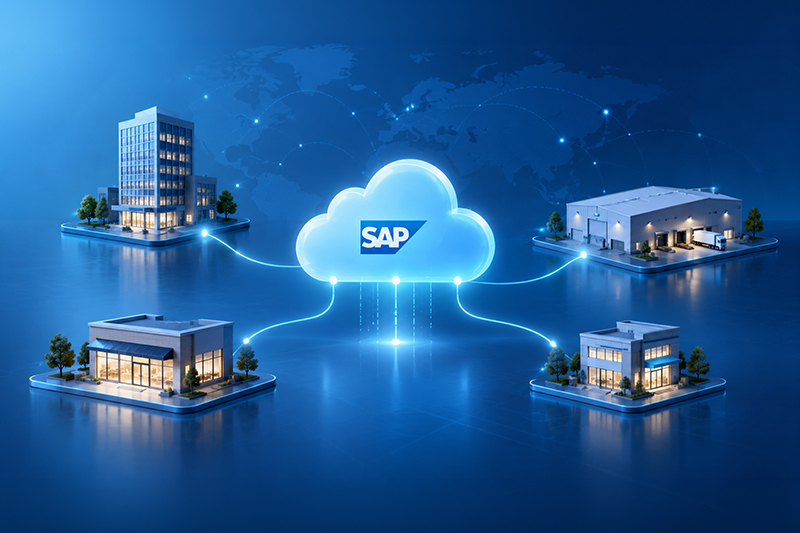
That's less an ERP problem than a visibility problem, and it's precisely the gap SAP Business One Cloud is designed to close — giving growing businesses a way to centralise core processes while letting authorised teams access the same environment from different locations.
Can SAP Business One Cloud support multiple business locations? Yes. Cloud deployment can give authorised teams across different offices, warehouses or remote locations access to a central SAP Business One environment. The exact database, branch, company and integration architecture still needs to be designed around the organisation's own operational and legal requirements — multiple locations doesn't automatically mean one single setup fits every business the same way.
What Is SAP Business One Cloud?
SAP Business One is an ERP solution built for small and midsized businesses, covering financial management, sales, purchasing, inventory, customer management, and reporting and analytics within one integrated environment. Cloud deployment changes where and how that environment is hosted: rather than depending on infrastructure sitting in a single local office, the system runs on cloud infrastructure that authorised users can access from wherever they're working, which also takes a meaningful share of ongoing infrastructure management off an internal IT team's plate.
What is SAP Business One Cloud used for?
In short, it's used to run the core operational processes of a small or midsized business — finance, sales, purchasing, inventory and reporting — from a cloud-hosted environment that authorised teams can access without each location needing its own separate, locally hosted system.
Why Do Multi-Location Businesses Need a Centralised ERP System?
Data Becomes Fragmented Across Locations
Separate spreadsheets, standalone accounting tools and disconnected inventory systems at each location create data silos almost by accident. Nobody sets out to fragment the business's information — it happens gradually, as each new location solves its own immediate problem with whatever tool is fastest to set up.
Management Lacks Real-Time Visibility
Once information is scattered across locations, straightforward questions become surprisingly hard to answer quickly: what's selling at each location right now, where is stock actually available, which branch is performing best this quarter, what are the company's current receivables, which orders are still outstanding? None of these are complex questions in principle — they're only difficult because the data needed to answer them lives in several disconnected places.
Duplicate Data Entry Increases
Manually transferring information between branches and departments — re-entering a sales order that already exists somewhere else, reconciling two separate customer records — costs real staff time and introduces errors that a single, shared source of data simply doesn't create.
Inventory Becomes Difficult to Coordinate
For any business running more than one warehouse, this is often the most immediately painful consequence of fragmentation — not knowing what's genuinely available where, and discovering a stock imbalance only after a customer order has already been missed.
Reporting Becomes Slower
Management reports assembled from several separate sources take longer to produce, and by the time they're finally consolidated, the numbers they're built on may already be a week or more out of date.
IT Infrastructure Becomes Harder to Manage
Separate local systems at each location typically mean separate servers, separate backup routines, separate maintenance schedules and separate points of technical failure — all of it adding up to considerably more IT overhead than most growing businesses budgeted for when they opened their second location.
SAP Business One Cloud is built to address this by giving a business a more centralised operational environment to work from, rather than a growing collection of disconnected local systems that happen to share a company name.
How Does SAP Business One Cloud Work Across Multiple Locations?
Centralised Access to Business Information
Rather than each location maintaining its own isolated version of the truth, authorised employees across different sites work within the same SAP Business One Cloud environment. A simple example illustrates the shape of it: a Berlin head office, a Hamburg warehouse, a Munich sales office and a remote sales team can all connect into the same cloud-hosted environment, each seeing the information relevant to their role rather than a separate, disconnected copy of it.
One ERP Environment for Connected Business Processes
Sales, purchasing, inventory, finance and customer information sit connected within one environment rather than managed independently — a sales order raised in one location is visible to finance and warehouse teams elsewhere without anyone needing to re-key it.
Role-Based User Access
Not every employee needs access to everything, and SAP Business One Cloud is built around that reality rather than an all-or-nothing model. Finance typically works with accounting and financial reports, sales with customers, quotations and sales orders, purchasing with suppliers and purchase orders, warehouse teams with inventory and goods movements, and management with dashboards and reporting — each role seeing what's relevant to it.
Consistent Business Data
When every location works from the same underlying data, a customer record, a stock figure or a price doesn't quietly diverge between offices depending on which spreadsheet last got updated.
Cloud-Based Infrastructure
Centralised cloud infrastructure matters more, not less, when employees are genuinely geographically distributed — it removes the dependency on any single office's local server being available and properly maintained for the whole business to keep functioning.
Can SAP Business One Manage Multiple Branches?
Yes, SAP Business One can be configured to support branch-level operations, covering branch-related transactions, warehouses, sales activity, purchasing, financial reporting, business partner information and operational reporting — though exactly how branch structures are configured depends on the business's own operational and reporting needs.
Does SAP Business One support multiple branches?
Yes, branch functionality allows transactions and reporting to be organised by branch within an appropriately configured environment.
Can different branches use the same SAP Business One system?
Often yes, when they sit within the same company structure and legal entity, though this depends on the specific database and branch architecture chosen for the business.
Can SAP Business One report by branch?
Yes, where branch structures are configured appropriately, reporting can be organised and filtered at branch level alongside company-wide reporting.
One Database or Multiple Databases: Which Setup Is Right?
Multi-location does not automatically mean a single SAP Business One database is the correct answer, and this is one of the more important architectural decisions a growing business needs to get right early — changing it later is considerably more disruptive than deciding it properly the first time.
When One Database May Make Sense
Typically where locations operate within the same company structure and centralised processes are genuinely appropriate. Advantages can include centralised master data, shared processes across locations, simplified reporting, and easier operational visibility across the whole business from one place.
When Multiple Databases May Be Required
Separate legal entities, operations spanning different countries, different statutory accounting requirements, different tax structures, or genuinely independent operational processes between locations can all point towards separate databases rather than one shared environment.
Connecting Multiple SAP Business One Environments
Where multiple databases are the right answer, integration and intercompany scenarios allow separate environments to still share relevant data — consolidated reporting, intercompany transactions — without forcing genuinely separate entities into one shared database purely for convenience.
The correct SAP Business One Cloud architecture should therefore be designed around the organisation's legal entities, operational processes, locations, reporting requirements and integration needs — not simply the number of offices it operates.
How Does SAP Business One Cloud Help With Multi-Warehouse Inventory?
Can SAP Business One manage multiple warehouses?
Yes. SAP Business One supports multi-warehouse inventory management, giving teams visibility into stock across locations rather than only within their own site.
Inventory Visibility Across Warehouses
Users can work with warehouse-level inventory information rather than needing to phone or email another location to find out what's actually in stock there.
Better Stock Allocation
That visibility helps teams understand where stock genuinely sits across the business, rather than assuming based on outdated or incomplete information.
Stock Transfers Between Warehouses
Where one location is short and another holds surplus, transfers can be managed within the same system rather than as an off-system, manually tracked arrangement between two site managers.
Purchasing Decisions
Better visibility helps purchasing teams see where inventory is genuinely needed, rather than reordering based on one location's view of demand alone.
Reducing Overstock and Stockouts
Improved visibility supports better-informed stock decisions across locations — it doesn't guarantee an outcome on its own, but it removes a significant amount of the guesswork that leads to both overstock in one warehouse and stockouts in another simultaneously.
How Does SAP Business One Cloud Improve Financial Visibility Across Locations?
For finance and management, centralised financial information means accounts receivable, accounts payable, cash-flow visibility, sales information and cost visibility can be worked with as a connected picture rather than several separate ones. Instead of waiting for spreadsheets to arrive from three different locations at month-end, management can work from ERP data captured through standardised processes as transactions actually happen — which shortens the gap between something occurring and management being able to see it, rather than promising instant, effortless consolidation regardless of how the underlying architecture is configured.
Branch or location-level performance reporting is available where the organisation's structure has been configured to support it, giving management a way to compare locations on a like-for-like basis rather than relying on informal, anecdotal impressions of which branch is doing well.
Can Employees Access SAP Business One Cloud Remotely?
Cloud deployment is designed to make the ERP environment accessible to authorised users beyond a single local office, subject to the access method, permissions and security controls configured for the business. That covers a genuinely wide range of use cases: remote employees, travelling salespeople working from wherever they happen to be, staff across multiple offices, warehouse teams, management working from different locations, and international teams spanning time zones.
This is where cloud deployment offers something a traditional, single-office local server simply can't — access isn't tied to being physically present in one building, or to that building's server staying online and properly maintained.
SAP Business One Cloud vs Separate ERP Systems for Every Location
| Area |
Separate Local Systems |
SAP Business One Cloud Approach |
| Business data |
Often fragmented |
More centralised |
| Reporting |
Manual consolidation may be required |
Integrated reporting possibilities |
| Remote access |
Depends on local infrastructure |
Cloud-oriented access |
| IT management |
Infrastructure at multiple locations |
More centralised infrastructure |
| Inventory visibility |
May be isolated |
Cross-location visibility where configured |
| Process consistency |
Can vary by location |
Standardised ERP processes |
| Scalability |
Additional local infrastructure may be needed |
Cloud resources can be adapted |
| Maintenance |
Multiple environments to manage |
More centralised management |
This isn't a case of cloud always winning outright — the comparison is about suitability for a genuinely distributed business. A single-location business with no growth plans may have little reason to change anything at all; a business already juggling several disconnected local systems is the one this comparison is actually written for.
How Secure Is SAP Business One Cloud for Multiple Locations?
Decentralised access naturally raises a security question, and it deserves a straight answer rather than a reassuring slogan. Security depends on the hosting architecture, access controls, configuration, backup strategy, ongoing maintenance and operational processes in place — not on the fact of being “in the cloud” by itself.
User Authentication and Access Control
Verifying who's actually logging in, and restricting access to what each person genuinely needs.
Role-Based Permissions
Limiting what each user can see and do within the system according to their actual role, rather than granting broad access by default.
Cloud Infrastructure Security
The underlying hosting platform's own security measures — network protection, isolation between environments, monitoring.
Backup Strategy
Regular, tested backups that can genuinely be restored, not simply scheduled and assumed to work.
Software Maintenance
Keeping the SAP Business One environment and its underlying infrastructure patched and current.
Business Continuity Considerations
Planning for what happens if something does go wrong, rather than assuming it won't.
Secure Remote Access
Ensuring that access from outside a single office is properly authenticated and encrypted, not simply opened up without appropriate controls.
None of this adds up to “completely secure” or “100% protected” — no system genuinely offers that. It adds up to a security posture that's only as strong as how deliberately each of these elements has actually been configured and maintained.
What Happens When the Business Opens a New Location?
One of the key reasons growing businesses consider SAP Business One Cloud is the ability to expand without building an entirely separate local ERP infrastructure for every new location.
In practice, opening a new location typically involves defining the new location or branch's requirements, determining which users and roles need access, configuring warehouses or the relevant organisational structures, establishing access for the new team, configuring the business processes specific to that location, reviewing what reporting will be needed, connecting any required integrations, and training new users on the system they're now working within.
That's a considerably shorter list than standing up an entirely new local server environment from scratch, which is precisely what makes cloud-based scalability a tangible, practical benefit rather than a vague marketing claim.
When Should a Multi-Location Business Consider SAP Business One Cloud?
- Multiple offices rely heavily on spreadsheets to track and share information
- Teams cannot easily access the same business information across locations
- Stock is spread across several warehouses with limited shared visibility
- Management reporting requires manual consolidation from several sources
- Remote employees need genuine ERP access, not just email and spreadsheets
- Local server infrastructure is becoming expensive or difficult to maintain
- The company plans to open additional locations in the near future
- Sales, purchasing, inventory and finance currently operate in disconnected systems
SAP Business One Cloud on Microsoft Azure
Microsoft Azure provides the underlying cloud infrastructure many SAP Business One Cloud deployments run on — covering the compute, storage and networking layers that support scalability, remote accessibility and a genuinely centralised environment, alongside maintenance, backups and security considerations that need to be properly configured around the specific business rather than left on default settings.
For a multi-location business specifically, that infrastructure choice matters because it's what makes centralised access practical across genuinely distributed teams, rather than a theoretical benefit that breaks down the moment more than one office tries to use it at once.
Why Choose Ingold Solutions for SAP Business One Cloud?
SAP Business One Expertise
Implementation and configuration built around the company's actual operational requirements, rather than a generic template applied regardless of business structure.
Microsoft Azure-Based Cloud Hosting
Hosting built on Azure infrastructure, sized and configured for the business rather than assumed to be one-size-fits-all.
Implementation and Migration
Support for businesses moving from existing SAP Business One infrastructure, on-premise deployment, a legacy ERP system, or a collection of disconnected business applications that have grown up around each location separately.
Support and Maintenance
The value of having an SAP partner involved beyond the initial go-live — ongoing support matters considerably more for a multi-location business than a single-office one, simply because there's more surface area for something to need attention.
Solutions Designed Around Business Structure
Particularly relevant to the multi-location theme of this guide: the right architecture follows the business's actual legal entities, locations and processes, not a default configuration applied without that context.
Planning SAP Business One Cloud for multiple offices, warehouses or business locations? Talk to Ingold Solutions about the right cloud architecture for your organisation.
Conclusion — One ERP Strategy for a Growing, Distributed Business
Growth shouldn't necessarily mean adding another disconnected system every time a company opens an office, warehouse or branch. SAP Business One Cloud can give growing businesses a more centralised foundation for managing finance, sales, purchasing, inventory, customer information and reporting, while enabling authorised teams to work across different locations rather than each one operating in its own isolated version of the business.
Ingold Solutions can help businesses evaluate their company structure, locations, users, databases, integrations and hosting requirements to design an appropriate SAP Business One Cloud environment — one built around how the business actually operates, not a generic template applied regardless of it.
Explore SAP Business One Cloud with Ingold Solutions →











 Applicable for Package
 Optional